
Skip to content

Evals

docs.scrimba.com

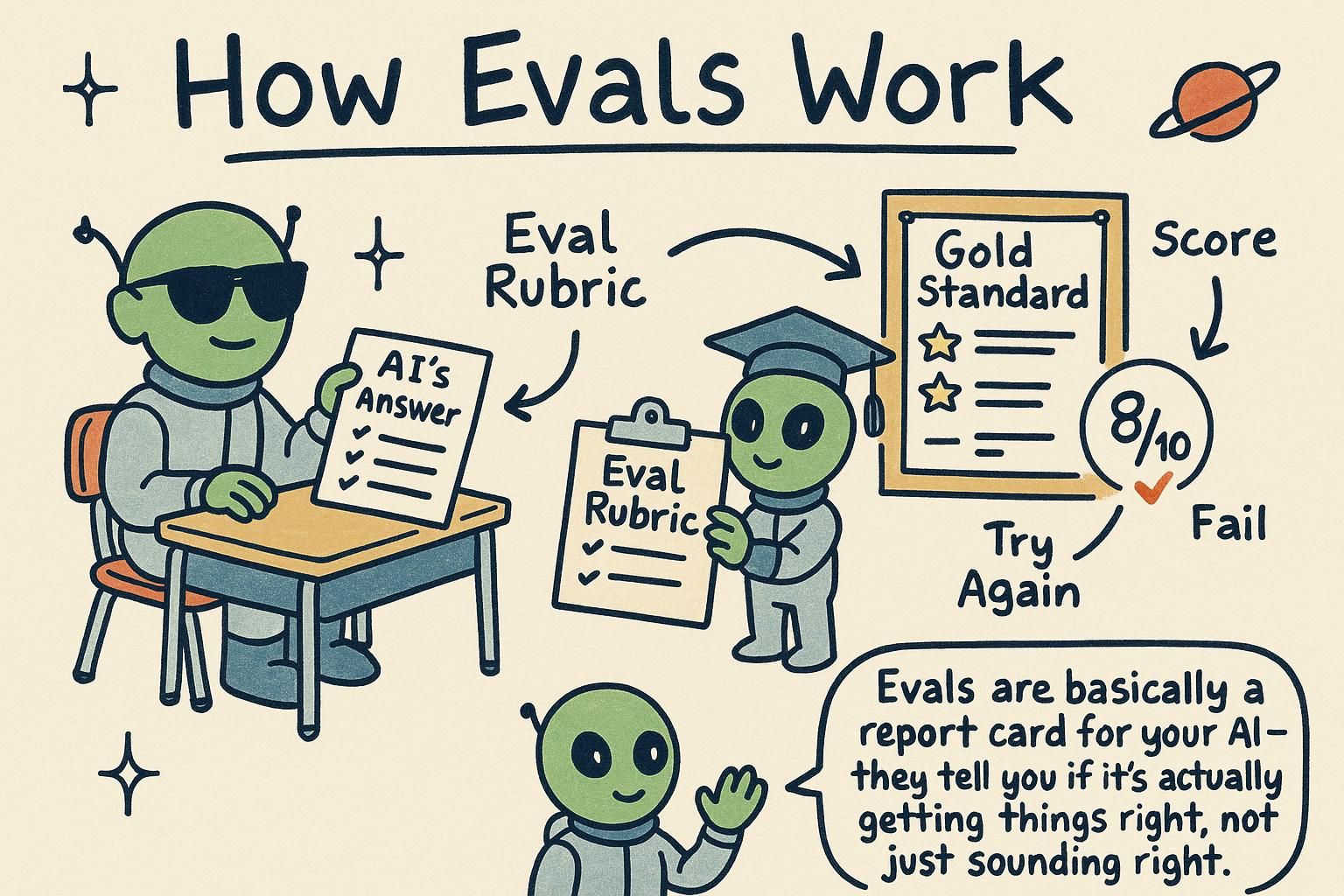
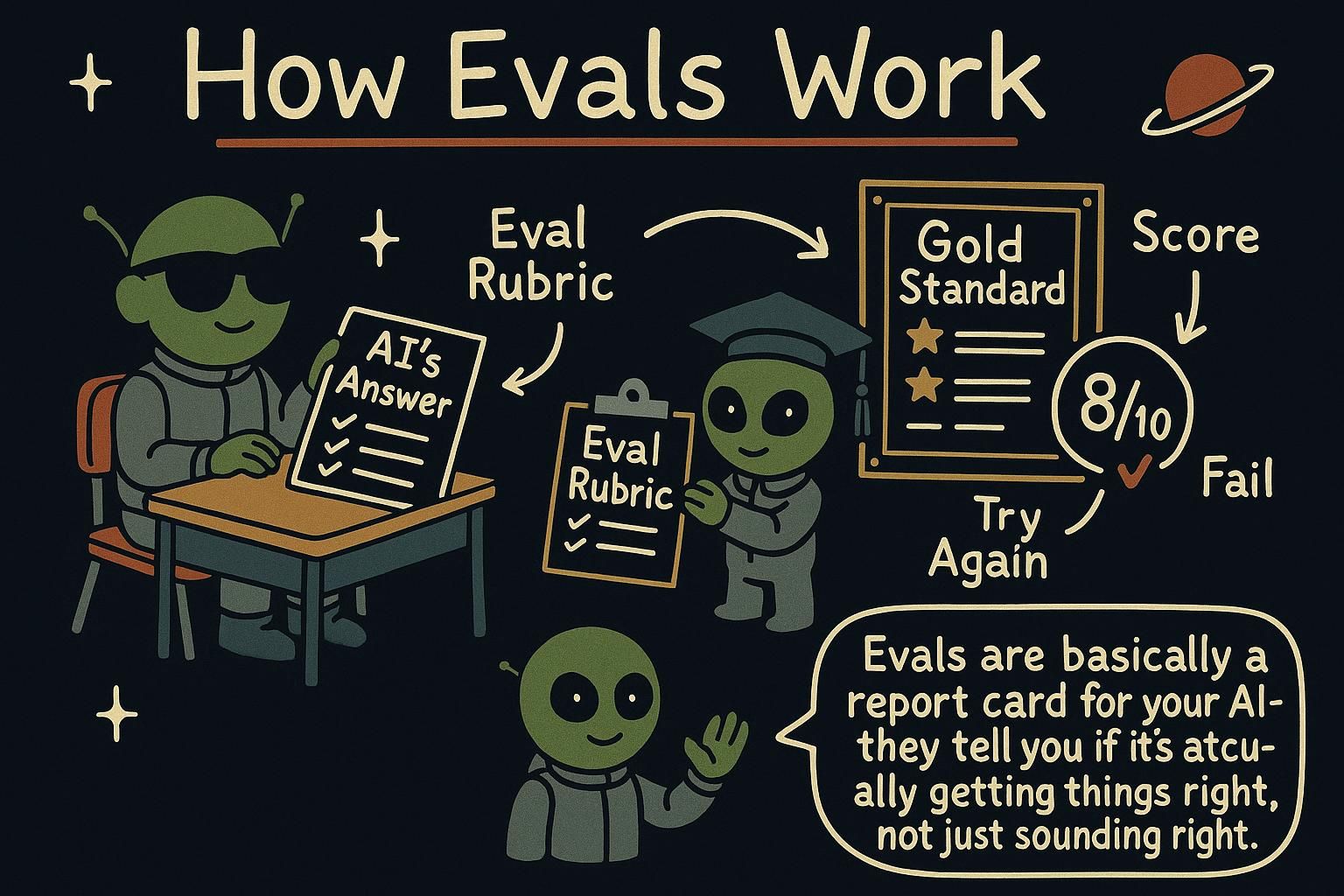
You change a prompt, try it once, the answer looks better, and you ship, then a week later users hit the cases it quietly made worse. An eval (short for evaluation) is the fix: a repeatable test of whether your AI feature works, a set of inputs paired with what a good output looks like, scored the same way every time so you can tell whether a change actually helped. A model is a probabilistic black box that answers the same question differently each run, so measuring is the only way to know, and that discipline is much of what separates a demo from a product.

Why eyeballing fails

Checking your AI's answers by hand feels fine at first. You run a prompt, read the reply, and it looks good, so you move on. The trouble is that three things quietly work against you, and you have met all of them already.

Here are the three:

  • Output varies. The same prompt can give different answers each run, so one good result does not promise the next one will be good too.
  • Changes cause regressions. A prompt edit that fixes one case often breaks another you were not looking at.
  • It does not scale. You can read five answers. You cannot read five hundred every time you change a line.

None of this means you did anything wrong. It means eyeballing is the wrong tool for a job this size, and there is a calmer way to do it.

JunoWhy eyeballing fails Reading answers by hand breaks down for three reasons, all of them rooted in how the model works: output varies run to run, edits quietly break cases you were not watching, and you cannot keep up by hand once there are hundreds of answers. It is not a discipline problem, it is the wrong tool for the size of the job. The good news is the fix is friendly, and it is coming next.

Eyeballing one reply tells you almost nothing, and the reason is in how the model works. Because output is nondeterministic (the same prompt can give different answers each run), a single reply is a sample of size one. It cannot tell you the pass rate, the share of cases that come out right, because you need many runs over the same cases to estimate how often it actually works.

Regressions hide for a related reason. Fix one case by hand and you have no record of the others, so the next edit can break something you stopped watching. The only way to see that is a fixed set of cases scored the same way every time, so a drop shows up as a number instead of a surprise in production.

There is a human problem on top of the math. Manual review drifts between people and between moods: the same answer reads as fine on Monday and weak on Friday. So the move is to convert "it looks good" into a measured pass rate over a fixed set of cases. Turn a vibe into a number over the same cases.

JunoWhy eyeballing fails One reply is a sample of size one, so it tells you the model worked once, not how often it works. To see a real pass rate you run many cases; to catch regressions you fix that set of cases and score it the same way every time. Manual review also drifts with the reviewer, so the job is to replace "looks good" with a measured number.

Spot-checking does not fail because you are careless. It fails because it has selection bias built in: you look at the cases you expect to work, so the behaviour you never check is the one that regresses in front of users. The metric you do not track is exactly the one that moves.

Without a baseline score, every quality change is a story you tell yourself. You cannot attribute a shift to a specific edit, and you cannot bisect a set of changes to find which one dropped the pass rate (the share of your cases that come out correct), because you never measured the before. "It feels better" survives because nothing contradicts it.

Vibes-based iteration also overfits. You keep retyping the same handful of examples, tune until those look right, and quietly train your prompt to that tiny private set while real traffic drifts somewhere else. Manual review cannot see that distribution shift, because the new inputs are the ones you are not typing. A versioned eval set with a tracked score is the only way to say a change helped rather than felt better, and it is the difference between iterating and guessing.

JunoWhy eyeballing fails I have shipped on vibes and then watched the one path I never spot-checked light up the error logs, that is selection bias doing its job. No baseline means no attribution and no bisect: you cannot prove which edit moved the number if you never had a number. Keep a versioned set and a tracked score, or you are overfitting to the five examples you keep retyping while real traffic walks off somewhere you cannot see.

Build an eval set

An eval set is a list of test cases. Each case has an input and what a good output looks like for it. Start small. Ten to twenty cases that cover your common situations plus a few tricky edge cases are far more useful than none, and you can grow the set as you find new failures in the wild.

python
eval_set = [
    {"input": "The food was cold and late.", "expected": "NEGATIVE"},
    {"input": "Best meal of my life!", "expected": "POSITIVE"},
    {"input": "It was fine, nothing special.", "expected": "NEUTRAL"},
    # ...add real cases and edge cases as you discover them
]

When a user reports a bad answer, add it to the set with the output it should have given. Your eval set then becomes a growing memory of every mistake you never want to make again, the same way a bug you fix becomes a test you keep.

JunoBuild an eval set An eval set is a list of test cases: an input, and what a good answer looks like. Start with ten to twenty that cover your everyday situations and a few tricky ones. Every time a user hits a bad answer, add it with the answer it should have given, and your set quietly remembers every mistake you never want to repeat.

An eval set is your collection of test cases, each one an input paired with the output you would accept as good. The number that matters is not size, it is coverage. A set of twenty well-chosen cases beats fifty throwaway ones every time.

Aim to cover three things: the common path your users actually hit, the decision boundaries where two labels sit close together (the ambiguous cases right on the line), and the known failure modes you have already seen go wrong. Cherry-picked friendly inputs make your scores look good and tell you nothing, so keep the set representative of real traffic.

Every bug a user reports becomes a permanent case in the set. That turns it into a regression suite: a fixed bug stays fixed because the case that exposed it now runs every time. When your expected outputs are structured rather than free text, like a label or a JSON field, you can grade with exact-match comparison, which is clean and unambiguous, see structured output.

Keep a separate held-out slice that you never tune against. If you adjust the prompt until you pass the exact cases you are watching, you are grading yourself on the answers you already studied, and the score stops meaning anything.

JunoBuild an eval set Coverage beats raw size: hit the common path, the ambiguous boundaries between labels, and the failures you have already seen. Turn every reported bug into a permanent case so the set works like a regression suite. Keep a held-out slice you never tune against, or you are grading yourself on the answers you studied.

Treat the eval set as an asset you version right next to the prompt, because the two move together and a prompt change can silently shift what counts as a good answer. The label quality of the set is the ceiling on your metric: one wrong "expected" value caps your score and quietly teaches you the wrong lesson, so curating labels carefully matters as much as collecting cases.

Guard against test leakage. If you tune until you pass the exact set you report, the number is theatre. Hold out a slice you do not look at while iterating, and rotate it over time so it does not slowly leak into your tuning loop anyway.

Watch class balance. A set that is ninety percent clear-cut positives will report a flattering number while hiding every failure on the ten percent that actually matters, so sample so the hard and rare cases carry real weight. Pull cases from production logs rather than imagination, since real traffic surfaces phrasings you would never invent at your desk.

Accept that the set rots. As the product shifts, old cases stop reflecting what users send and new failure modes appear that the set has never seen. Curating it is ongoing work, not a one-time build.

JunoBuild an eval set The set is an asset you version next to the prompt, and its label quality is the hard ceiling on your metric, one bad expected value caps the whole score. Hold out a slice and rotate it, or your reported number is theatre. Watch class balance, sample real cases from logs, and assume the set rots as the product moves, so curating it never really ends.

How to grade

Different tasks need different grading, so the first step is matching the check to the kind of answer you expect.

  • Exact match works when there is one right answer: a classification label, an extracted field, a yes or no. You compare the output to the expected value directly.
  • Criteria-based grading works when there is no single right answer, like a summary or a reply. You check whether the output meets conditions: Does the summary mention the key fact? Is it under 50 words? Is the tone polite?
  • LLM-as-judge uses a second model call to score the output against your criteria. It scales to fuzzy quality questions a simple check cannot capture, but the judge is itself a model, so it can be wrong, and you sanity-check it against human judgment now and then.
python
# exact-match grading over the eval set
def run_evals(eval_set, classify):
    passed = 0
    for test in eval_set:
        output = classify(test["input"])
        if output == test["expected"]:
            passed += 1
        else:
            print(f'FAIL: "{test["input"]}" -> got {output}, wanted {test["expected"]}')
    print(f"{passed}/{len(eval_set)} passed")

Exact match is the friendliest place to start, and it fits the classification and extraction work from earlier chapters perfectly. The LLM-as-judge idea works because spotting whether an answer meets a standard is often an easier prediction than producing the answer was, the same way reviewing an essay is easier than writing one. But the judge is another predictor with the same flaws, so treat its scores as a useful estimate, give it a clear rubric, and check its grades against your own on a sample now and then.

JunoHow to grade Pick the check that fits the answer: exact match when there is one right answer, criteria when there are several good ones, and a second model as judge for fuzzy quality. Exact match is the gentlest start, and it lines up neatly with the classification and extraction you already practiced. But the judge is a model too, so peek at its grades yourself once in a while.

Match the grader to the task, then reach for the cheapest one that still captures what you care about. A grader is the code or model call that decides whether an output passed, and the wrong choice either misses real failures or flags answers that were fine.

Exact match is for labels and extracted fields: you compare the output to the expected value and the result is deterministic, so you can trust it. It pairs naturally with structured output, since a model returning a fixed schema gives you something clean to compare against instead of free-form prose.

Programmatic criteria cover the middle ground cheaply: check the length, confirm a required string is present, validate that the JSON parses, run a regex. These run in milliseconds with no model call, so use them for anything semi-structured before you spend money on a judge.

LLM-as-judge is for open-ended quality, where a summary or a reply has many good forms and no exact target. It needs a written rubric so the judge applies a consistent standard, plus a calibration check where you compare its grades to your own labels on a sample. Remember that a grader is code you also have to trust: a flaky grader hands you a confident wrong score.

JunoHow to grade Use the cheapest grader that still catches what matters: exact match for labels and fields, programmatic checks for length or valid JSON or a required string, and a model judge only for open-ended quality. Exact match pairs well with structured output because a fixed schema gives you something clean to compare. Whatever you pick, the grader is code you trust too, so a flaky one hands you a confident wrong score.

LLM-as-judge is the grader that breaks in the most interesting ways, so plan for its biases before you lean on it. A judge favours longer answers, picks the first option when comparing a pair, and rewards text that reads like its own style, and its absolute scores are poorly calibrated, so an 8 from one run is not an 8 from the next.

Treat the judge as a model you are evaluating in its own right. Pin and version the judge model, because it drifts when it updates and your scores move with it. Give it a tight rubric with a few anchor examples, then measure judge-versus-human agreement on a labelled sample so you know how far to trust it.

Where you can, ask for a pairwise comparison ("is A or B better?") instead of an absolute 1-to-10 score; relative judgments are usually more reliable than asking a model to hit a calibrated number. Pin the judge, rubric it tight, check it against humans.

Mind the circularity and the bill. The same model family grading its own output shares its blind spots, so a flaw the generator made is a flaw the judge is likely to miss, and judging every case at scale is a second model bill on top of the first.

JunoHow to grade The judge has opinions you did not ask for: it likes long answers, the first option, and prose that sounds like itself, and its absolute scores wander between runs. Pin and version it, hand it a tight rubric with anchors, and track how often it agrees with a human, because you are grading the grader now. Lean on pairwise comparisons over a lonely 1-to-10, and stay aware that a model judging its own family shares its blind spots and doubles the bill.

Run them on every change

An eval set is only useful if you actually run it. Treat your prompts like code: before you ship a change to a prompt, a model, or your retrieval, run the evals and compare the score to what it was before. If the number went down, you caused a regression, even if your one hand-test happened to look fine.

This is what turns prompt engineering from guesswork into something you can iterate on with confidence. Change something, measure it, keep what scores higher, and discard what scores lower. It is the same loop that makes ordinary software reliable, now applied to the fuzzy parts of an AI feature.

If the score dropped, you caused a regression. One lucky hand-test does not overrule the set, so let the number be the tiebreaker every time.

JunoRun them on every change An eval set only helps if you run it, so make it a habit: before any change ships, run the evals and check the score against last time. If it went down, that is a regression to fix, not a fluke to wave away. Change, measure, keep what scores higher, and you are iterating instead of guessing.

Wire the eval run into your development loop so it gates changes the way a test suite gates a merge. A change to a prompt, a model, or your retrieval (the step that pulls in supporting documents) does not ship until you have run the set and compared the score to the previous run. The number, not your gut after one hand-test, decides whether the change is an improvement.

Change one variable at a time. If you edit the prompt and swap the model in the same pass, a move in the score has two possible causes and you cannot attribute it to either. Isolate the change, run the set, read the result, then move on to the next.

Read the per-case diff, not only the aggregate score (the single number averaged across every case). A steady total can hide one case that got fixed and one that broke at the same time, which nets to zero while your behaviour quietly shifted. Looking at which cases flipped tells you what your change actually did.

Track the score over time so improvement is visible and regressions stand out. A logged history turns "this feels better" into a line you can point at, and it makes a sudden drop quick to trace back to the change that caused it.

JunoRun them on every change Gate changes on the score the way you gate a merge on tests: no run, no ship. Change one variable per pass so a score move has one cause, and read the per-case diff, since a flat total can hide one case fixed and one broken. Log the score over time so wins are visible and regressions stand out.

Make it a real gate, not a ritual. Put a score threshold in CI so a change that drops below the bar fails the build instead of relying on someone remembering to look. And re-run the set on every model-version bump, because the same prompt lands differently on new weights; pin the model version you tested against and re-eval before you adopt a new one.

Hold two traps in mind. First, the eval set (your fixed collection of test cases with expected outcomes) is a proxy, not ground truth, so tuning hard against it overfits: you climb the score while the real behaviour stalls. Keep expanding and rotating the set so you are measuring the task, not memorising the test.

Second, offline evals are not the whole picture. Pair them with online signals, sampled production traffic, user feedback, complaint rates, and feed real failures back into the set as new cases.

Because the output is nondeterministic, the same input can score differently across runs. Run enough samples per case and judge against a tolerance rather than chasing single-run noise; a one-point wobble between runs is the measurement breathing, not a regression. Set the bar at a level that survives that variance, or you will spend your week investigating ghosts. I have done exactly that, more than once.

JunoRun them on every change Put a threshold in CI so a bad change fails the build, and re-eval on every model-version bump because new weights read the same prompt differently. The set is a proxy, so keep rotating it and pair it with online signals, or you will overfit to your own test. And since output is nondeterministic, judge against a tolerance instead of investigating ghosts, which yes, I have done.

In practice

The run_evals function from the last section is a complete, if small, eval harness. You point it at your classifier and your eval set, and it tells you how many cases pass and shows you exactly which ones fail:

python
run_evals(eval_set, classify_review)
# FAIL: "It was fine, nothing special." -> got POSITIVE, wanted NEUTRAL
# 2/3 passed

That one failing line is worth more than a dozen successful hand-tests, because it points at a real weakness you can now fix and re-measure. The final chapter, Safety and limits, covers the risks to design against before you put any of this in front of real users.

JunoIn practice A tiny harness like run_evals already earns its keep: it gives you a score and the exact cases that broke. Fix one, run it again, watch the number move. Next up, Safety and limits covers what to guard against before real users arrive.

A small eval harness, the bit of code that runs every case in your eval set and scores the output against what you expected, is the loop that turns "seems fine" into a number you can move. You run the set, you get a score plus a list of failures, you fix the cheapest real failure, you run it again.

Each failing case is a unit of work with a clear definition of done: the case passes. That is a sharper target than "make the prompt better", because you can see exactly when you hit it and exactly when you regress.

Before any of this meets real users, the next chapter, Safety and limits, covers the risks you design against up front.

JunoIn practice The harness turns vibes into a number you can move: run the set, read the score and the failures, fix the cheapest real one, re-run. Each failure is a task with a clear definition of done, which is a sharper target than "make it better". Then Safety and limits before real users see it.

In production that small harness stops being a script you run by hand and becomes part of the system. It grows into a CI gate, a check that blocks a release when the score drops below a line you set, plus a dashboard you watch across releases to catch the slow drift a single run never shows.

Offline evals, the fixed set you score before shipping, and online monitoring, the signals you collect from real traffic after, feed each other: production failures become new offline cases, and the offline set tells you whether your fix held. The teams that win here are not the ones with the cleverest prompt. They are the ones who measured while everyone else eyeballed.

That is the discipline. The next chapter, Safety and limits, covers the risks to design against before any of this reaches real users.

JunoIn practice Mature this and the script becomes a CI gate plus a dashboard, with offline evals and online monitoring feeding each other. I have shipped on "looks good to me" and paid for it later, so take it from me: the teams that win measured while the rest eyeballed. Read Safety and limits before real users arrive.