
Skip to content

Agents

docs.scrimba.com

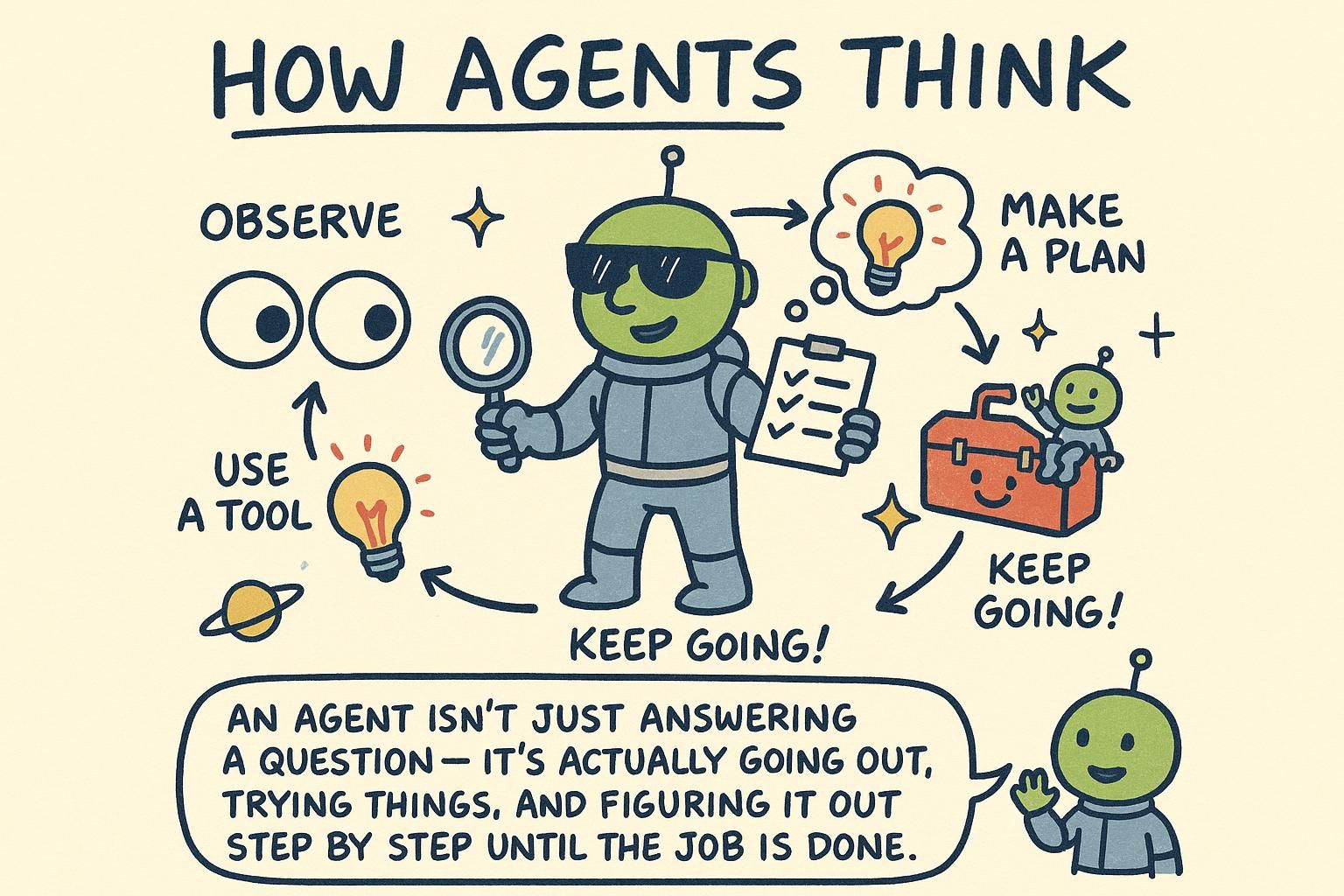
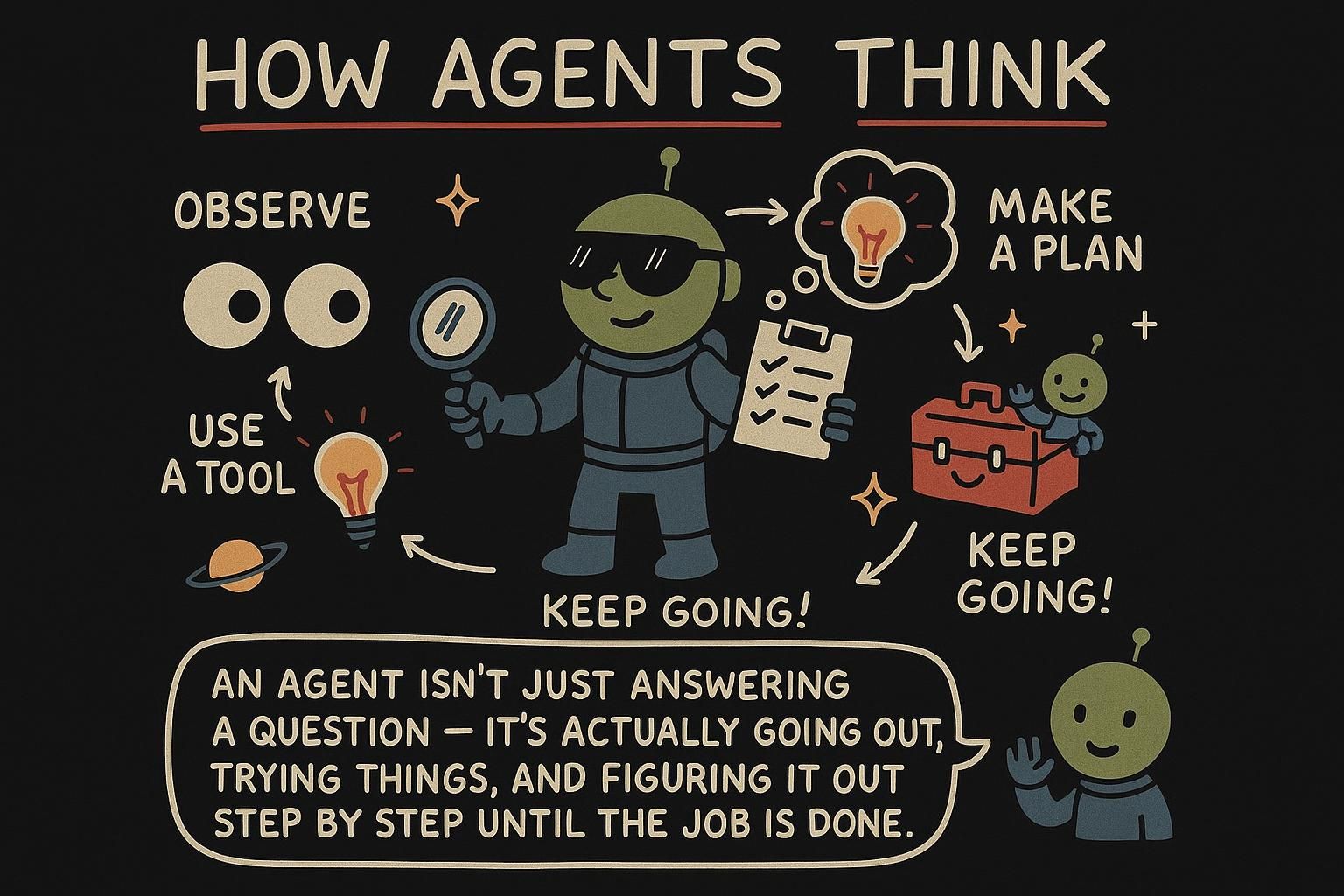
An agent is a model running in a loop, picking the next tool to call until a task is done. The rest of this chapter is what that means, where it earns its keep, and where it quietly costs you.

The agent loop

In tool use the model called one function and you sent the result back. But some tasks take several steps, and you do not know the steps ahead of time. "Find the cheapest flight and book it" might mean searching, comparing, checking a calendar, then booking, and the model has to work out that sequence as it goes.

So instead of handling a single tool call, you put the whole thing in a loop. This repeating cycle is the agent loop, one turn repeated until the task is done:

  1. Send the conversation and the available tools to the model.
  2. The model either calls a tool or gives a final answer.
  3. If it called a tool, run it, add the result to the conversation, and go back to step 1.
  4. If it gave a final answer, stop.

Each turn the model sees everything that happened so far, including previous tool results, and decides the next move. That is the whole difference from tool use: you keep looping until the model is satisfied it has finished.

The real shift is who is steering. In every chapter so far, your code decided the control flow: you chose when to call the model, when to run a tool, what came next. An agent hands that decision to the model. The loop keeps asking "what should happen next?" and the model's prediction is the answer each time. You trade control for flexibility, and that trade is the source of both reach and risk.

Underneath, nothing new is happening. It is the same prediction on a growing context, the tool-use round-trip on repeat. The model does not draw up a plan and follow it. Each turn it predicts the single best next step from what it can see right now, then the loop runs again.

When that works, it looks like reasoning toward a goal. When it does not, the agent loops on itself or wanders down a dead end, because no part of the system is holding the overall plan.

JunoThe agent loop An agent is the tool-use loop repeated: send the conversation and tools, the model calls a tool or gives a final answer, you run any tool and feed the result back, and you go again until it answers. Each turn the model sees all prior results and picks the next step. The only new idea over plain tool use is looping instead of handling a single call.

In tool use you handled one call and returned the result. An agent is that round-trip wrapped in a loop, run until the model decides it is done. That loop is the agent loop. Here is the move: stop hardcoding the sequence of steps and let the model choose the next one each turn.

The cycle is four steps:

  1. Send the conversation plus the tool list to the model.
  2. The model responds with either tool calls or a final text answer.
  3. If it asked for tools, run them, append each result to the conversation, and loop.
  4. If it answered, stop and return.

The mechanism that makes this work is that the model sees the full growing conversation every turn: your original request, every tool call it made, and every result that came back. That accumulated context is the agent's only memory. Each prediction is conditioned on the whole history so far, which is why it can chain steps that depend on earlier results.

One detail worth naming early: step 2 can return several tool calls at once, not one. When the calls do not depend on each other, like checking weather in three cities, the model can request all three in a single turn and you run them together. When a call needs the result of a previous one, the model has to wait for that result before it can ask for the next, so those land across separate turns. The loop handles both: run whatever calls came back this turn, feed all the results in, and predict again.

There is no global plan inside any of this. The model predicts the best next step from what it can see right now, not from a map of the whole task. That is the difference between an agent and the fixed pipelines you have written before, and it is why the same loop that chains research steps can also chase its own tail.

JunoThe agent loop An agent is the tool-use round-trip in a loop: send conversation plus tools, the model calls tools or answers, you run the tools and feed results back, repeat until it answers. The growing conversation is the agent's only memory, so each step is conditioned on every result before it. A turn can return several independent tool calls at once, or one at a time when each depends on the last. No global plan lives anywhere: every step is a fresh next-step guess.

An agent is the tool-use round-trip placed in a loop and handed the wheel, the agent loop: the model picks the next tool each turn, you execute it, you feed the result back, and you go again until it emits a final answer instead of a call. The loop is four steps and it is not the interesting part. The interesting part is what the architecture does and does not give you.

The cycle:

  1. Send the running conversation plus the tool schemas.
  2. The model returns tool calls or a final answer.
  3. Run any calls, append results, loop.
  4. On a final answer, return.

A single turn can return multiple tool calls. The model emits parallel calls when it judges them independent (three lookups with no data dependency between them), and serial calls across turns when one needs another's output first. You cannot force this from outside: whether work parallelises is the model's call based on the task it inferred, so a task you think is parallel can come back serialised and slower, and one you think is serial can come back as a batch you must be ready to run together.

Here is the load-bearing fact, the one every failure mode traces back to. There is no global plan. The model does not hold a map of the task and execute against it. Each turn it predicts the next step from the current conversation, and that conversation is the entire state of the system, your prompt plus every call and result so far, accumulated.

Every step trusts the step before it, with nothing checking the whole. That is why an agent that looks like it is reasoning toward a goal is actually taking a sequence of locally-plausible guesses that happen, when it works, to add up.

The consequence to internalise now, because the guardrail section pays it off: because state is only the growing transcript and each step is conditioned on it, an early wrong tool result does not get corrected, it gets built on. The error propagates forward and compounds, and no part of the loop is positioned to notice. Reliability work on agents is mostly fighting that one property.

JunoThe agent loop An agent is the tool-use round-trip in a loop with the model steering: it picks the next tool, you run it, you feed the result back, repeat until it answers. The whole state is the growing transcript, and there is no global plan anywhere, only a chain of next-step guesses each conditioned on the last. A turn can return parallel calls when the model judges them independent or serial ones when they depend on each other, and you do not control which. Hold onto one thing: every step trusts the step before it, so an early wrong result compounds forward with nothing checking the whole.

A minimal agent

Here is the loop in code. It reuses the tool definitions and implementations from tool use and wraps them in a loop that runs until the model stops asking for tools.

python
import json

def run_agent(user_text, tools, tool_impls, max_steps=6):
    messages = [{"role": "user", "content": user_text}]
    step = 0

    while step < max_steps:
        response = client.chat.completions.create(model=MODEL, messages=messages, tools=tools)
        message = response.choices[0].message
        messages.append(message)

        calls = message.tool_calls
        if not calls:
            return message.content  # no tool wanted: this is the final answer

        # run every requested tool and feed the results back
        for call in calls:
            args = json.loads(call.function.arguments)
            result = tool_impls[call.function.name](args)
            messages.append({"role": "tool", "tool_call_id": call.id, "content": json.dumps(result)})

        step += 1

    return "Stopped: the agent reached its step limit."  # safety net

Read it top to bottom: call the model, push its message onto the conversation, and if it asked for tools, run them all and append the results, then loop again. When the model returns text instead of a tool call, that is the final answer and you return it.

The max_steps value sets a step limit, the safety net that keeps the loop from running away, which the next section is about. The shape here matches one provider's SDK; the field names differ across providers, but the loop is the same everywhere.

JunoA minimal agent A minimal agent is a loop around a model call: run the model, run any tools it asks for, feed the results back, repeat. When the model returns text instead of a tool call, that text is the final answer. The step limit is a required safety net, not an extra you add later.

Here is the loop in code, reusing the tool definitions and implementations from tool use. It runs until the model stops asking for tools or hits the step cap.

python
import json

def run_agent(user_text, tools, tool_impls, max_steps=6):
    messages = [{"role": "user", "content": user_text}]
    step = 0

    while step < max_steps:
        response = client.chat.completions.create(model=MODEL, messages=messages, tools=tools)
        message = response.choices[0].message
        messages.append(message)

        calls = message.tool_calls
        if not calls:
            return message.content  # final answer

        for call in calls:
            args = json.loads(call.function.arguments)
            try:
                result = tool_impls[call.function.name](args)
            except Exception as err:
                result = {"error": str(err)}  # surface the failure, do not crash
            messages.append({"role": "tool", "tool_call_id": call.id, "content": json.dumps(result)})

        step += 1

    return "Stopped: the agent reached its step limit."

The shape is one provider's SDK and the field names vary, but every loop has these parts: append the model's message, branch on whether it asked for tools, run the requested ones, feed each result back as a tool message keyed to its call id.

The one change worth making over the bare version is the try/except around the tool. When a tool fails, do not let the exception kill the loop. Catch it and feed the error back to the model as the tool result. The model can then read "that lookup failed" on its next turn and adapt: retry with different arguments, try another tool, or tell the user it could not complete the task. A crash gives the model no chance to recover; this error-as-result pattern keeps it in the loop with information to act on.

Two things to track as this runs. First, the conversation only grows. Every turn appends the model's message and every tool result, so by step five the model is reading everything from steps one through four again. That is the agent's memory and also its bill: each step re-sends the whole accumulated context, so token cost per step climbs as the task goes. A ten-step agent is not ten cheap calls, it is ten calls over an ever-larger transcript.

Second, that growth is why max_steps matters beyond stopping infinite loops. Pick it against the task. A weather question needs two or three steps; a research task might want ten. Set the cap a little above what a healthy run takes, so a legitimately longer task can finish but a stuck one still gets cut off before it drains your budget.

JunoA minimal agent The loop is: append the model's message, branch on whether it asked for tools, run them, feed each result back as a tool message. Wrap the tool call in try/except and feed errors back instead of crashing, so the model can retry or recover. Watch that the conversation only grows: every step re-sends the whole transcript, so token cost per step climbs as the task runs. Set max_steps against the task, a bit above a healthy run.

The loop, reusing the tool layer from tool use. One provider's SDK shape, field names vary, structure does not.

python
import json

def run_agent(user_text, tools, tool_impls, max_steps=6):
    messages = [{"role": "user", "content": user_text}]
    step = 0

    while step < max_steps:
        response = client.chat.completions.create(model=MODEL, messages=messages, tools=tools)
        message = response.choices[0].message
        messages.append(message)

        calls = message.tool_calls
        if not calls:
            return message.content

        for call in calls:
            args = json.loads(call.function.arguments)
            try:
                result = tool_impls[call.function.name](args)
            except Exception as err:
                result = {"error": str(err)}  # model reads this and can adapt next turn
            messages.append({"role": "tool", "tool_call_id": call.id, "content": json.dumps(result)})

        step += 1

    return "Stopped: the agent reached its step limit."

The bare loop is correct and unshippable, and the gap between the two is where this section lives. Three properties of this code bite in production.

Surface errors, never crash. The try/except feeds a failed tool back to the model as a result it can read. That is right, but understand what you are doing: you are handing the model an error string and trusting it to recover sensibly. It might retry the same bad call, or invent a different approach, or apologise and stop.

Feeding errors back keeps the agent alive; it does not make recovery reliable. For anything load-bearing, cap retries per tool and treat repeated failure as a terminal state you handle, not a loop you let the model resolve by feel.

The transcript only grows, and that is two compounding costs. Token cost per step climbs because every call re-sends the full accumulated history, so a long run pays a rising bill on each turn, not a flat one. And the longer the transcript, the more the model is reading old tool output to decide the next move, which is exactly where the context window chapter's lost-in-the-middle effect starts to bite, where a model attends less to information buried in the middle of a long context: the early instructions that should constrain the agent sink under accumulated results and get attended to less. Long agents do not fail loudly, they drift.

max_steps is a budget, not a bug guard. It exists because the model decides when to stop and can decide wrong: loop on a step, ping-pong between two tools, chase a dead end.

The number is a real cost ceiling. Worst case spend is roughly max_steps multiplied by the cost of a full-context call near the end of the run, so a generous cap on a context-heavy task is a generous bill. Set it from the longest legitimate run plus a margin, alarm when runs routinely hit it (that is a signal the agent is stuck, not that the cap is too low), and resist raising it to paper over an agent that cannot finish.

JunoA minimal agent The bare loop is correct and unshippable. Feed tool errors back so the model can adapt, but cap retries and treat repeated failure as terminal, because surfacing an error does not make recovery reliable. The transcript only grows, so per-step token cost climbs and your early instructions get buried under old results until the agent drifts. max_steps is a cost ceiling, not a bug guard: size it to the longest real run plus margin, and when runs keep hitting it, the agent is stuck, so do not reflexively raise the number.

Stopping and guardrails

A loop that lets a model decide when to stop can fail to stop. It might call tools forever, repeat itself, or chase a dead end. Because every step is a model call billed by tokens, a runaway agent burns money and time fast.

So guardrails, the limits you put around the loop, are part of the design, not a polish step you add at the end:

  • A step limit. Cap the number of loops, the way max_steps does. When it is hit, stop and return.
  • Validate tool inputs. The model chooses the arguments, so check them before running anything with real consequences.
  • Limit what tools can do. Give the agent the least power it needs. A tool that reads is safer than one that deletes.
  • Watch the cost. Several model calls per task multiply quickly, so track tokens and set a budget.

The thread tying these together: the model is improvising the path, so you put the limits in place that it will not. Assume the agent will do the wrong thing at least once, and make that survivable.

JunoStopping and guardrails An agent decides its own stopping point, so it can loop forever, and every loop costs tokens. Always set a step limit, validate the arguments the model picks, and give tools the least power they need. Track cost, because several model calls per task add up fast.

A loop where the model decides when to stop can fail to stop, and because each step is a token-billed model call, a stuck agent burns budget fast. Guardrails are part of the design. The four to wire in:

  • A step limit. Cap the loops with max_steps and return cleanly when hit. This is your hard stop against runaway loops.
  • Validate tool inputs. The model picks the arguments, and it can pick wrong or be steered wrong. Check them before any tool with real consequences runs: a delete with no id, a transfer with a negative amount, a path outside the allowed directory.
  • Least power. Give each tool the narrowest capability the task needs. Read-only beats read-write, a scoped query beats raw database access, a fixed list of recipients beats arbitrary send.
  • Cost ceiling. Track tokens across the whole run, not per call, and stop when a run crosses a budget.

The point that ties these together is that the arguments to your tools come from the model, which means they come, indirectly, from whatever text the model has read. If a tool fetched a web page and that page contained instructions, those instructions are now in the model's context and can steer the next tool call. This is prompt injection: untrusted text in the context influencing what the agent does. The defense is not in the prompt. It is in validating every tool input and scoping every tool's power so that even a fully hijacked argument cannot do real damage.

JunoStopping and guardrails Four guardrails, by design not polish: a max_steps hard stop, input validation on every consequential tool, least-power tool scoping, and a token budget across the whole run. The reason input validation matters: tool arguments come from the model, which means from whatever text it read, so a fetched page carrying instructions is prompt injection that can steer the next call. Validate inputs and scope power so a hijacked argument still cannot do damage.

A loop where the model decides when to stop can fail to stop, and every step is a token-billed call, so the failure mode is expensive by default. The four guardrails (step limit, input validation, least power, cost ceiling) are table stakes. The part worth your attention is why input validation is a security control, not a sanity check.

Tool arguments are model output, and model output is conditioned on everything in the context, including text the agent fetched from outside. The moment an agent reads a web page, a document, an email, or a tool result you do not control, untrusted text is in its context and can carry instructions. That is prompt injection: adversarial content in the input steering the model into actions you did not intend. In a single-shot prompt it is a nuisance. In an agent it is a live exploit, because the model's next move is a tool call with real-world effect, and the injected text gets to influence that call.

Design for it as adversarial, because it is. Three rules hold up:

  • Validate every tool argument against an allowlist, not a blocklist. Define what a valid argument looks like (this id format, this set of recipients, this directory) and reject everything else. You cannot enumerate every bad input an attacker will craft; you can enumerate the good ones.
  • Scope tool power so a fully hijacked call is survivable. Assume the argument is attacker-controlled and ask what the tool could then do. If the real answer is "email anyone" or "delete any row", the tool is too broad regardless of how careful the prompt is. Least power is the control that holds when the model is compromised, and the prompt is not a control at all.
  • Put a human in the loop on irreversible actions. Sending money, deleting data, emailing customers: gate these on confirmation. The agent proposes, a person or a stricter check disposes.

The deeper reason none of this lives in the prompt: instructions in the system prompt and injected instructions in fetched content arrive as the same kind of thing, text in the context, and the model has no reliable way to rank one above the other. So you cannot prompt your way to safety. The boundary that holds is outside the model: validated inputs and scoped tools. This connects to the broader treatment in safety and limits.

JunoStopping and guardrails The four guardrails are table stakes; the one that earns thought is input validation, because it is a security control. Tool arguments are model output conditioned on everything it read, so any fetched page or email can carry injected instructions that steer the next call, and in an agent that call has real-world effect. Validate against an allowlist, scope every tool so a hijacked argument is still survivable, and gate irreversible actions on a human. You cannot prompt your way to safety: injected and system instructions are the same kind of text to the model, so the boundary has to live outside it.

When a workflow beats an agent

Agents are exciting, which makes it tempting to reach for one when you do not need it. The plain rule: if you already know the steps, do not use an agent. Write them out as plain code, a workflow, where each step runs in a fixed order.

A workflow is more reliable, cheaper, and far easier to debug, because you control the path instead of hoping the model finds it. Save agents for open-ended tasks where the steps depend on what is discovered along the way.

Many features that look like they need an agent are better as a structured output call or a RAG lookup wired together by hand. Reach for an agent only when you cannot write the steps down in advance.

JunoWhen a workflow beats an agent If you already know the steps, hardcode them as a workflow instead of using an agent: it is cheaper, more reliable, and easier to debug. Save agents for open-ended tasks where the steps depend on what is found along the way. Many "agent" features are really a structured-output or RAG call wired together by hand.

Agents are the exciting tool, which is exactly why they get reached for when they are wrong. The decision rule is one question: can you write the steps down in advance? If yes, you want a workflow, the steps as plain code in a fixed order, not an agent.

A workflow wins on everything an agent struggles with. It is cheaper, because you make one or two model calls instead of a loop of them. It is more reliable, because the path is fixed instead of re-decided each turn. And it is far easier to debug, because a failure happens at a known step you can inspect, not somewhere in a chain of model-chosen moves.

Here is the test in practice. "Summarise this support ticket, classify its urgency, and route it to a queue" has known steps in a known order, so it is a workflow: one structured output call to get the summary, category, and urgency, then plain code to route on the result. "Investigate why this customer's last three orders failed" does not have known steps, the path depends on what each lookup reveals, so it is an agent.

The trap is that a lot of features look open-ended and are not. Pulling fields from a document, answering from your docs, sorting incoming mail: these read like agent work but resolve to a structured output call or a RAG lookup with code around it. Default to the workflow and let a task earn the agent by being unpredictable in a way you cannot script.

JunoWhen a workflow beats an agent The decision is one question: can you write the steps down in advance? If yes, build a workflow, the steps as plain code, because it is cheaper, more reliable, and debuggable at a known point. "Summarise, classify, route a ticket" is a workflow: one structured-output call plus routing code. "Investigate why these orders failed" is an agent, because the path depends on what each step finds. Default to the workflow and make the task earn the agent.

The agent is the tool people want to use, which is why it gets used where it does not belong. The decision rule is short: if you can write the steps down ahead of time, write them down. That is a workflow, the steps as code in a fixed order, and it beats an agent on cost, reliability, and debuggability for any task whose shape you know.

The reason traces straight back to the architecture. An agent has no global plan and compounds errors forward, so its reliability is the product of every step going right with nothing checking the whole. A workflow you wrote has a plan, by definition, and you can inspect, test, and validate each step in isolation. When something breaks in a workflow, it breaks at a line. When something breaks in an agent, it breaks somewhere in a transcript of model-chosen moves, and you reconstruct what it was thinking from the trace.

Now the harder case, because "do I know the steps" is the straightforward half. An agent can be the wrong tool even when the task is open-ended, when the cost of a wrong step is too high to let a next-step guesser take it. An agent that books travel, moves money, or modifies production data is open-ended and also somewhere you do not want an unplanned, injectable, error-compounding loop holding the controls. The right design there is often a hybrid: the model plans or proposes, but a fixed workflow and human gates execute, so the unpredictable part never touches the irreversible part directly.

So the question is two questions. Do you know the steps, and what does a wrong step cost?

Known steps go to a workflow. Unknown steps with cheap, reversible actions are where an agent earns its keep. Unknown steps with expensive, irreversible actions want a constrained design, not a free-running loop.

An agent fits open-ended work with cheap, reversible steps, and little else. A surprising share of "agent" features are a structured output call or a RAG lookup with code around them, and they are better off staying that way.

JunoWhen a workflow beats an agent Two questions, not one: do you know the steps, and what does a wrong step cost? Known steps go to a workflow, which beats an agent on cost, reliability, and debugging because it has a plan and the agent never does. Unknown steps with cheap reversible actions are where an agent earns its place. Unknown steps with expensive irreversible actions want a hybrid: the model proposes, a fixed workflow and human gates execute, so the error-compounding loop never touches the part you cannot undo.

In practice

The run_agent function above is the whole thing. Give it a question, a set of tools, and their implementations, and it loops until done or until it hits the step limit. A small task shows the loop earning its keep:

python
answer = run_agent(
    "What's the weather in Oslo and should I bring an umbrella?",
    tools,        # includes get_weather from the tool-use chapter
    tool_impls,   # {"get_weather": ...}
)
# The agent calls get_weather, reads "cloudy", then answers in one final turn:
# "It's cloudy in Oslo at 18 degrees, so an umbrella is a sensible idea."

One tool, one loop, one answer. The same structure scales to several tools and several steps without changing shape. Once you can build things this capable, the next question is how you know they actually work, which is what evals is about.

JunoIn practice The run_agent loop is the whole pattern: give it a question, tools, and their implementations, and it loops until the model stops asking for tools or hits the step limit. One tool and one loop scale to many without changing shape. The next question is how you know it actually works, which is evals.

The run_agent function is the whole pattern. Give it a question, tools, and their implementations, and it loops until the model stops asking or hits the cap.

python
answer = run_agent(
    "What's the weather in Oslo and should I bring an umbrella?",
    tools,        # includes get_weather from the tool-use chapter
    tool_impls,   # {"get_weather": ...}
)
# The agent calls get_weather, reads "cloudy", then answers in one final turn.

One tool, one loop, one answer, and the same shape scales to several tools and several steps. What does not scale for free is your confidence that it works. A workflow you can test step by step; an agent takes a different path on different inputs, so a run that worked yesterday tells you little about the run that fails today.

That is why the next thing to build alongside an agent is a way to measure it: run it across a set of representative tasks and check the outcomes, rather than trusting one good demo. Turning "it worked when I tried it" into a number you can track is exactly what evals covers.

JunoIn practice The run_agent loop is the whole pattern, and one tool and one loop scale to many without changing shape. The catch is confidence: an agent takes a different path per input, so a good demo proves little about the next run. Build a way to measure it across representative tasks rather than trusting one success, which is what evals is for.

The run_agent function is the whole pattern, and the example below is the bare minimum: one tool, one loop, one answer.

python
answer = run_agent(
    "What's the weather in Oslo and should I bring an umbrella?",
    tools,        # includes get_weather from the tool-use chapter
    tool_impls,   # {"get_weather": ...}
)
# get_weather returns "cloudy", the model answers in one final turn.

The shape scales to many tools and many steps without changing, and that is the trap, because the failure modes scale with it while the code stays still. An agent is path-dependent: different inputs drive different sequences of model-chosen steps, so per-input testing tells you almost nothing about the input you have not seen. The non-determinism from sampling means even the same input can take a different path twice.

So the thing you build next to an agent is measurement, and it is a different kind of measurement than a workflow needs. You are not asserting one expected output; you are sampling many representative tasks and reading the distribution of outcomes: how often it finishes in budget, how often it reaches the right answer, where it loops, what it costs at the tail. That is the agent-shaped version of evals, and it is the only way the reliability, cost, and safety concerns from the sections above turn into numbers you can defend instead of a demo you got lucky on.

JunoIn practicerun_agent is the whole pattern and it scales in shape while the failure modes scale with it. An agent is path-dependent and sampling adds non-determinism, so per-input testing tells you little and a good demo proves less. Measure it the agent way: sample many representative tasks and read the distribution, how often it finishes in budget, where it loops, what the tail costs. That is what evals is for, and it is how the reliability and cost concerns above become numbers you can defend.