

API
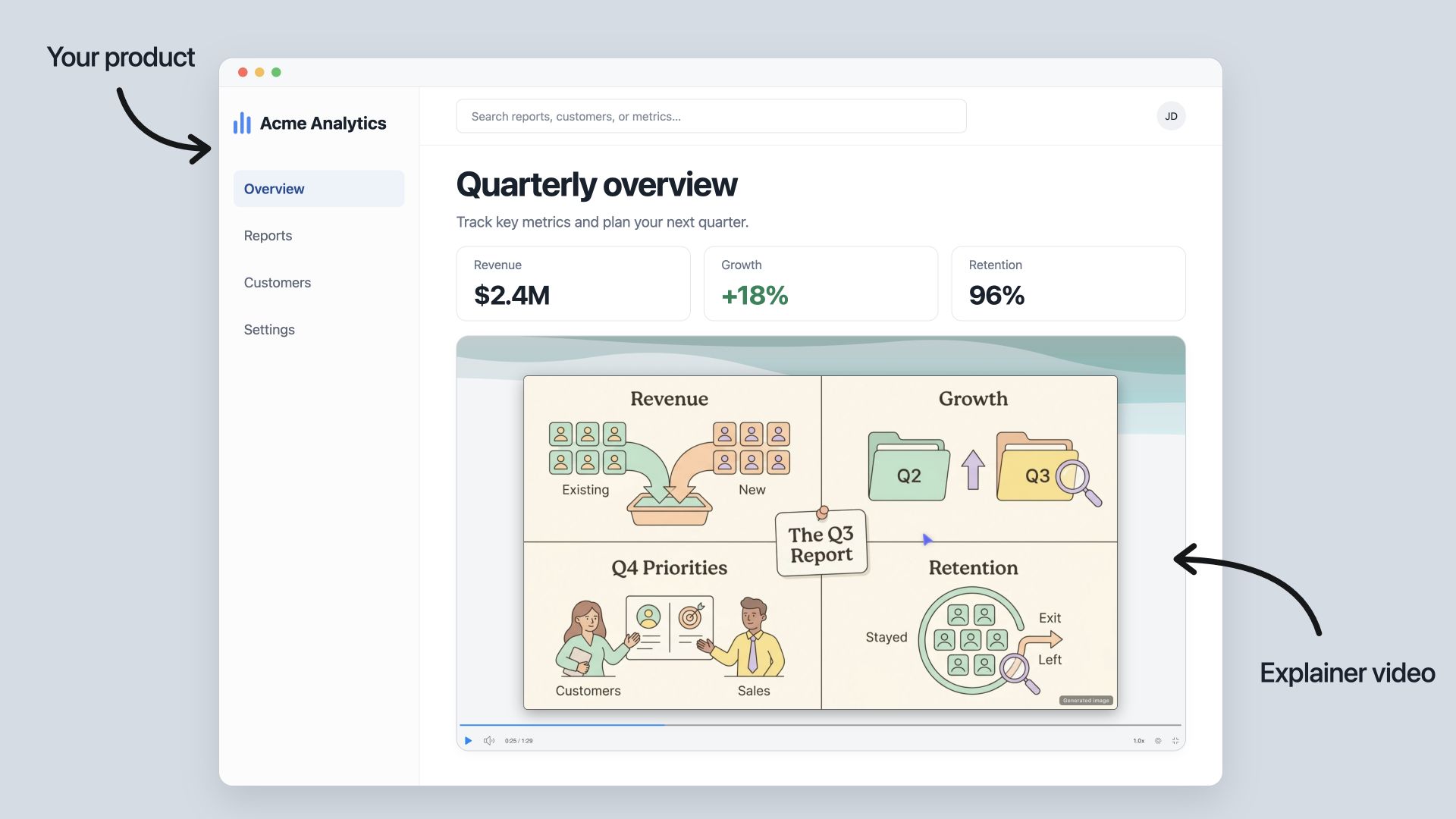
Put Explain inside your own product. One API call turns a prompt or a document into a narrated video, so your users get video lessons and nobody has to record them.
Companies use it for:
- LMS and training platforms: a video for every course page, for staff or students
- Corporate training: turn internal docs and SOPs into videos automatically
- SaaS products: onboarding and help-center videos for every feature
- EdTech apps: video explanations next to your lessons
- Media apps: turn articles into videos, like HN.watch
The API is open to every Scrimba account. To start, create an API key in your settings.
Basics
All endpoints are under one base URL and return JSON.
https://scrimba.com/api/v1Every request sends your API key as a bearer token:
Authorization: Bearer scr_live_…Request bodies are application/json, or multipart/form-data when you upload files. Dates are ISO 8601 strings in UTC. Errors are also JSON; see Errors.
The version is in the path. We may add new fields to responses within v1, but we won't remove or rename existing ones.
API keys
A key belongs to a Scrimba account. Explainers created with the key belong to that account and count toward its monthly limit.
- Sign in to scrimba.com and open your settings. Scroll to the API keys section.
- Click Create API key and give it a name.
- Copy the key. It starts with scr_live_ and is only shown once.
Keep the key on your server, never in a browser or an app you ship. To revoke a key, click Revoke next to it. Requests with a revoked key return 401. An account can have up to 20 keys, and they share the account's limits.
The examples below use two shell variables:
export SCRIMBA=https://scrimba.com
export SCRIMBA_KEY=scr_live_your_secret_here
Quick start
Create an explainer, wait for it to finish, then share its link. The create call returns right away and the explainer is generated in the background. Its page shows progress while it is being built.
const base = 'https://scrimba.com/api/v1'
const headers = {Authorization: `Bearer ${process.env.SCRIMBA_KEY}`}

const created = await fetch(`${base}/explainers`, {
  method: 'POST',
  headers: {...headers, 'Content-Type': 'application/json', 'Idempotency-Key': crypto.randomUUID()},
  body: JSON.stringify({prompt: 'Explain how the Node.js event loop schedules work', privacy: 'unlisted'})
})
if (!created.ok) throw new Error((await created.json()).error.message)

let explainer = await created.json()
while (explainer.status === 'generating') {
  await new Promise(resolve => setTimeout(resolve, 5000))
  explainer = await (await fetch(`${base}/explainers/${explainer.id}`, {headers})).json()
}
console.log(explainer.status, explainer.url)
A short explainer is ready in under a minute. A long one can take a few minutes. Poll every 5 seconds or so.
GET /api/v1/me
The account behind the key, the key itself, the account's tier and monthly usage, and the names the create endpoint accepts.
curl -s "$SCRIMBA/api/v1/me" -H "Authorization: Bearer $SCRIMBA_KEY"{
"account": {"id": "u1a2b3c", "alias": "acme", "name": "Acme Learning"},
"key": {"id": "ak9x", "name": "server", "prefix": "scr_live_abc123", "created_at": "2026-10-09T10:12:00.000Z"},
"tier": {"name": "pro", "requests_per_minute": 120, "concurrent_generations": 3, "explainers_per_month": 100},
"explainers": {"used": 12, "remaining": 88, "resets_at": "2026-11-01T00:00:00.000Z"},
"teachers": ["eli5", "standard", "per", "tom", "lol", "professor", "tldr"],
"modes": ["landscape", "portrait", "square"],
"privacy": ["private", "unlisted", "public"]
}key.prefix is the start of the secret, enough to tell keys apart. tier.explainers_per_month is the account's monthly limit: the tier's number, or one Scrimba set for the account. explainers.resets_at is when the monthly count starts over.
POST /api/v1/explainers
Creates an explainer and starts generating it. Returns 201 with the explainer object and status generating.
Fields
| Field | Values | Default |
|---|---|---|
prompt | What to explain, as a string of up to 12,000 characters. Required unless the request has an attachment. | |
mode | landscape (16:9), portrait (9:16), square (1:1). The shape of the slides. | landscape |
privacy | private (your account only), unlisted (anyone with the link), public (listed on the site). | private |
language | An ISO 639-1 code such as en or pt-BR. The narration and the visible text are in that language, whatever language the prompt is in. A region, as in pt-BR, selects that dialect. | The language of the prompt |
teacher | eli5, standard, per, tom, lol, professor, tldr. The voice and style of the explanation. | eli5 |
watermark | true or false. false needs a Pro account. | true |
attachments | Multipart file parts, up to 5. See Attachments. | |
cite_attachments | true or false. With true, the narration cites the parts of your text attachments it teaches from, and the transcript carries those citations. | false |
Fields you leave out or set to null use their default.
JSON
curl -s "$SCRIMBA/api/v1/explainers" \
  -H "Authorization: Bearer $SCRIMBA_KEY" \
  -H "Content-Type: application/json" \
  -H "Idempotency-Key: order-4821-explainer" \
  -d '{
    "prompt": "Explain how HTTP caching headers decide what a browser keeps",
    "mode": "landscape",
    "privacy": "unlisted",
    "language": "en",
    "teacher": "standard"
  }'
Multipart, with attachments
Send a multipart/form-data body. The text fields are the same. Add each file as a part named attachments. The prompt is optional when there is at least one attachment.
curl -s "$SCRIMBA/api/v1/explainers" \
  -H "Authorization: Bearer $SCRIMBA_KEY" \
  -F "prompt=Walk through this diagram and the code behind it" \
  -F "mode=portrait" \
  -F "attachments=@architecture.png" \
  -F "attachments=@server.ts"
Idempotency
Send an Idempotency-Key header (1 to 200 printable characters) with a unique value per explainer. If a request fails before you get the response, retry it with the same header. The API returns the explainer it already created, with 200 instead of 201, and does not create a second one. Keys are stored per API key, and deleting an explainer frees its key.
Response
{
  "id": "guide0abc123",
  "url": "https://scrimba.com/explain/guide0abc123",
  "status": "generating",
  "error": null,
  "title": "Explain how HTTP caching headers decide what a browser keeps",
  "description": null,
  "mode": "landscape",
  "privacy": "unlisted",
  "language": null,
  "created_at": "2026-10-09T10:15:02.000Z",
  "finished_at": null,
  "video_url": null,
  "embed": "<iframe src=\"https://scrimba.com/explain/guide0abc123\" …></iframe>",
  "attachments": [],
  "duration_ms": 0
}
You can open or share url right away. The page shows the explainer while it is being built and plays it when it is ready.
Failed requests don't count toward your limit. If you are over the monthly limit, you get 429 quota_exceeded. If too many explainers are generating at once, you get 429 too_many_running. Both include a Retry-After header.
GET /api/v1/explainers/:id
Returns an explainer created through the API, with its current status.
curl -s "$SCRIMBA/api/v1/explainers/guide0abc123" -H "Authorization: Bearer $SCRIMBA_KEY"status is generating, then ready or failed. When it is ready, finished_at, language and duration_ms are set. When it failed, error says why, and the explainer does not count toward your monthly limit. A generation that stops, for example because of a server restart, is marked failed after ten minutes.
Explainers made on the site, or by another account, return 404.
GET /api/v1/explainers/:id/transcript
Returns the narration of a ready explainer: one entry per spoken passage, in playback order, with the parts of your attachments each passage cites.
While the explainer is generating, or if it failed, you get 409 not_ready. Explainers made on the site, or by another account, return 404.
curl -s "$SCRIMBA/api/v1/explainers/guide0abc123/transcript" -H "Authorization: Bearer $SCRIMBA_KEY"{
"id": "guide0abc123",
"attachments": [{"ref": 1, "name": "server.ts", "type": "text/plain"}],
"entries": [
{
"index": 3,
"slide": 2,
"title": "Checking the token",
"text": "The handler reads the token from the header, then compares it to the stored secret.",
"references": [
{
"text": "reads the token from the header",
"text_start": 12,
"text_end": 43,
"attachment": 1,
"offset": 412,
"length": 39,
"lines": [10, 10],
"cited_text": "const token = req.headers.authorization"
}
]
}
]
}| Field | Type | Meaning |
|---|---|---|
attachments | array | The same list the explainer object carries, so one call is enough. |
entries[].index | number | The entry's place in the narration, from 0. |
entries[].slide | number | The slide shown while the entry plays, from 0. |
entries[].title | string or null | The narration label the explainer gave the passage. |
entries[].text | string | The spoken words, as the page's transcript shows them. |
entries[].references | array | The parts of your attachments the entry cites, in the order the narration lists them. Empty when the entry cites none. |
references[].text | string | The words of text the citation supports. |
references[].text_start, text_end | number or null | Where those words are in text: the index of the first character, and the index after the last. Null when the narration does not speak the words exactly as the citation gives them. |
references[].attachment | number | The ref of the cited file in attachments. |
references[].offset, length | number | The cited part of the file: its first character, and how many characters. |
references[].lines | array | The first and last line of the cited part, counted from 1. |
references[].cited_text | string | The cited part itself. |
Citations come from cite_attachments: true on the create; Citations shows how to use them. Without it, every references list is empty. Only text and code files are cited, never pictures or PDFs.
A text file is read up to 30,000 characters, and offset counts within what was read. A citation whose quoted part is not found in the file is left out.
GET /api/v1/explainers
Lists the explainers created through the API, newest first. Explainers made on the site are not included.
| Query parameter | Values | Default |
|---|---|---|
limit | Rows per page, 1 to 100. | 25 |
cursor | The next_cursor of the page before. | The first page |
curl -s "$SCRIMBA/api/v1/explainers?limit=25" -H "Authorization: Bearer $SCRIMBA_KEY"
# {"explainers": [{…}, {…}], "next_cursor": "guide0abc123"}

curl -s "$SCRIMBA/api/v1/explainers?limit=25&cursor=guide0abc123" -H "Authorization: Bearer $SCRIMBA_KEY"
# {"explainers": [{…}], "next_cursor": null}
Each item is an explainer object without duration_ms. next_cursor is null on the last page. An unknown cursor returns 400 invalid_cursor.
DELETE /api/v1/explainers/:id
Deletes an explainer created through the API, and its exported video if it has one. Its page and link stop working, and it returns 404 after that. A deleted explainer still counts toward your monthly limit.
curl -s -X DELETE "$SCRIMBA/api/v1/explainers/guide0abc123" -H "Authorization: Bearer $SCRIMBA_KEY"
# {"deleted": "guide0abc123"}
The explainer object
The object that POST, GET and the list return for an explainer.
| Field | Type | Meaning |
|---|---|---|
id | string | The explainer's id, used in the paths above. |
url | string | The explainer's page. Who can open it depends on privacy. |
status | string | generating, ready or failed. |
error | object or null | {"code": "generation_failed", "message": "…"} when status is failed; otherwise null. |
title | string | The explainer's title: the prompt, or a name from the attachments when there is no prompt. |
description | string or null | A short synopsis, filled when the explainer is ready. |
mode | string | landscape, portrait or square. |
privacy | string | private, unlisted or public. |
language | string or null | The narration language as a tag such as en-us. null until the explainer is ready. |
created_at | string | When the explainer was made. |
finished_at | string or null | When the generation finished; null while it runs or after it failed. |
video_url | string or null | An MP4 of the explainer. Filled only when a video export exists and the explainer is unlisted or public. |
embed | string or null | An <iframe> snippet for your own pages. Filled only when the explainer is unlisted or public: an iframe of a private explainer shows the sign-in wall to everyone but you. |
attachments | array | The files sent with the request, in the order sent: {"ref": 1, "name": "server.ts", "type": "text/plain"}. ref is the number the explainer knows the file by. |
duration_ms | number | The playback length in milliseconds; 0 until the explainer is ready. On POST and GET only, not in the list. |
Attachments
A request may carry up to 5 files, as multipart parts named attachments. The explainer reads them as context and can show pictures from them.
| Kind | Accepted as | Limit |
|---|---|---|
| Pictures | png, jpeg, gif, webp | 5 MB and 30 megapixels each |
| PDFs | application/pdf | 5 MB each |
| Text and code | Any text/* type, or a name ending in txt, md, log, env, conf, cfg, ini, js, jsx, ts, tsx, py, json, imba, html, css | 30,000 characters each |
| Jupyter notebooks | A name ending in .ipynb | Stored as markdown and measured as text: 30,000 characters |
Images and PDFs are detected from the file contents. Other files use the declared content type, or the file contents if none is given. An unsupported file returns 415 unsupported_attachment, and a file over the size limit returns 413 too_large. Both errors name the file.
The whole request body is at most 32 MB. A JSON body is at most 256 KB.
Limits
| Limit | Free | Pro |
|---|---|---|
| Explainers a month, per account | 5 | 100 |
| Generations running at once, per account | 1 | 3 |
| Requests a minute, all keys of the account together | 30 | 120 |
| watermark: false | No | Yes |
Pro means the account has a Scrimba Pro subscription. Some accounts have a custom limit; GET /api/v1/me shows the limit that applies to you.
The monthly count resets on the first of each month (UTC). GET /api/v1/me shows the exact time. Failed explainers and rejected requests don't count.
When you hit a limit, you get 429 with a Retry-After header in seconds. Wait that long before you retry.
Errors
Errors return JSON in this shape, with an HTTP status and an error code:
{"error": {"code": "invalid_prompt", "message": "The prompt is over 12000 characters"}}| Status | Code | Meaning |
|---|---|---|
| 400 | invalid_prompt, invalid_mode, invalid_privacy, invalid_language, invalid_teacher, invalid_watermark, invalid_cite_attachments, too_many_attachments, invalid_json, invalid_multipart, invalid_idempotency_key, invalid_limit, invalid_cursor | A field, a header or the body is wrong. The message says which. |
| 401 | unauthorized | The bearer token is missing, unknown or revoked. |
| 403 | pro_required | watermark: false on an account without Pro. |
| 404 | not_found | No explainer with that id on this account, or it was deleted. |
| 409 | not_ready | The transcript of an explainer that is still generating, or that failed. |
| 413 | too_large | A JSON body is over 256 KB, a multipart body is over 32 MB, a picture or a PDF is over 5 MB or 30 megapixels, or a text file is over 30,000 characters. The message names the file. |
| 415 | unsupported_attachment, unsupported_media_type | A file of a kind an explainer does not take, or a body that is neither JSON nor multipart. |
| 429 | rate_limited | Over the account's requests a minute, or too many pictures are being uploaded site-wide. Wait for Retry-After. |
| 429 | too_many_running | The account already has its tier's generations running. Wait for Retry-After, or for one to finish. |
| 429 | quota_exceeded | The month's explainers are used up. The message says when the count resets. |
| 503 | busy | The server holds too many uploads right now. Retry in a moment. |
| 500 | internal | A fault on Scrimba's side. Retry later; if it persists, contact Scrimba with the time and the explainer id if you have one. |
Describes the Explainer API as of 20 October 2026.